NSFAS 2027 Applications: How to Apply Online Step by Step
NSFAS 2027 applications are open from 18 September to 31 October 2026. Learn how to apply online, upload your documents, submit your application and track your NSFAS funding status.
 View full image
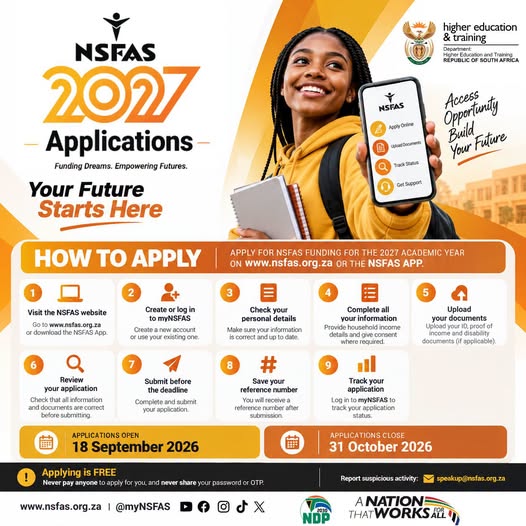
Applications for NSFAS funding for the 2027 academic year are now open.
The National Student Financial Aid Scheme (NSFAS) has opened the 2027 application period from 18 September 2026 to 31 October 2026. Students can apply online through the official NSFAS system, and there is no application fee.
Students planning to study at a public university or TVET college in 2027 should complete their application before the closing date if they intend to apply for NSFAS funding. NSFAS also allows eligible Grade 12 learners to apply before receiving their final matric results or before being accepted at an institution.
NSFAS 2027 Application Dates
Applications opened: 18 September 2026
Applications close: 31 October 2026
NSFAS states that late applications cannot be accepted, so students should not wait until the final day to apply.
Where to Apply for NSFAS 2027
Students can apply through the official myNSFAS platform.
NSFAS official website:
https://www.nsfas.org.za/
myNSFAS application portal:
https://my.nsfas.org.za/
The official NSFAS platform allows applicants to create an account, complete their application, upload documents and track their application status.
How to Apply for NSFAS 2027
Step 1: Create or access your myNSFAS account
Go to the official myNSFAS website:
New applicants must create a profile using their own South African ID number, cellphone number and email address.
Students who already have a myNSFAS account should log in to their existing account instead of creating another account. NSFAS specifically warns that duplicate accounts can cause delays.
Step 2: Log in and start your application
After creating or accessing your account, log in to myNSFAS and select the option to apply.
Complete the application using your own information. Make sure your details correspond with your official identification documents.
Step 3: Complete your personal information
Enter your personal details, including information such as your:
Full name
Date of birth
Address
Contact details
School or institution information
NSFAS advises applicants to make sure their information matches their ID documents.
Step 4: Provide household information
Applicants must provide information about their household, including the relevant household income information.
NSFAS uses this information as part of its assessment and may verify information against third-party sources.
Step 5: Complete the consent requirements
Applicants must provide the consent required by NSFAS so that information supplied in the application can be verified.
The consent process allows NSFAS to verify information with sources including Home Affairs, SARS and SASSA. Without the required consent, an application cannot be assessed.
Step 6: Upload your supporting documents
Upload all documents requested for your application.
NSFAS advises students to prepare clear, readable copies. Documents photographed with a cellphone can be used, provided that the entire document is visible and the text can be read.
NSFAS's current application guidance identifies documents and forms that may apply depending on the applicant's circumstances, including:
ID documentation
Household-income information and supporting documentation where required
Signed consent form
Declaration form for applicants aged 34 and younger
Disability-related documentation where applicable
Orphan and vulnerable child documentation where applicable
Students should use the supporting-document guidance on the official NSFAS website to determine exactly which documents apply to them.
NSFAS supporting documents and application guidance:
https://www.nsfas.org.za/content/how-to-apply.html
Step 7: Review your application
Before submitting, carefully go through every section of the application.
Check that:
Your personal information is correct.
Your contact details are correct.
Your household information is complete.
The required documents have been uploaded.
The uploaded documents are clear and readable.
Your information matches your official documents.
NSFAS advises applicants to review their information before clicking Submit.
Step 8: Submit your application
Once everything is complete, submit the application through myNSFAS.
After submission, the application is locked for assessment. NSFAS states that applicants will see a confirmation on screen and receive an SMS.
Do not simply save the application and assume that it has been submitted. Make sure you complete the final Submit step.
Step 9: Save your reference number and track your application
After submitting, keep your NSFAS application reference number somewhere safe.
You will need the reference number when dealing with NSFAS about your application.
You can then log in to your myNSFAS account to monitor your application status and check whether NSFAS requires anything further from you.
Track your application:
https://my.nsfas.org.za/
Can Grade 12 Learners Apply?
Yes. NSFAS's current 2027 guidance says that students can apply while they are still in Grade 12.
Applicants do not have to wait until they have received their final matric results, and they can apply before they have been accepted at an institution.
Is It Free to Apply for NSFAS?
Yes. NSFAS applications are free.
Students should not pay anyone to create an application, submit an application or supposedly speed up the process. NSFAS explicitly warns that requests for payment to apply or accelerate an application are fraudulent.
Important Tips Before You Submit
Use your own details when creating your myNSFAS account and keep access to the cellphone number and email address linked to your account.
Do not create a second myNSFAS account if you already have one.
Make sure uploaded documents are clear, complete and readable. NSFAS lists common document problems such as missing pages, cropped edges, blurry images, missing signatures and information that does not match the applicant's ID.
Keep your application reference number after submission and regularly check your myNSFAS account for updates.
What Happens After You Apply?
Submitting the application is only the beginning of the NSFAS assessment process.
NSFAS may verify your information and documents. Applicants may see different stages in the application journey, including verification, document requests, eligibility assessment and later funding-related stages.
Students should continue checking their myNSFAS account after submitting their application in case additional information or documents are requested.
What Can NSFAS Funding Cover?
For students who are approved for funding, NSFAS states that funding is provided according to the applicable funding policy for the academic year.
Depending on the student's circumstances, institution and qualification, funding can include tuition and registration, as well as approved support such as accommodation or transport, learning materials and personal care allowances.
The specific support a student receives depends on the applicable NSFAS rules and their circumstances.
NSFAS 2027 Application Deadline
The final date to submit a NSFAS 2027 application is 31 October 2026.
Students who intend to apply should complete their application as early as possible rather than waiting until the deadline.
Official NSFAS Links
NSFAS official website:
https://www.nsfas.org.za/
Apply online through myNSFAS:
https://my.nsfas.org.za/
NSFAS How to Apply:
https://www.nsfas.org.za/content/how-to-apply.html
NSFAS FAQs:
https://www.nsfas.org.za/content/faqs.html
Final Reminder
NSFAS 2027 applications are open from 18 September 2026 until 31 October 2026.
Applying is free, and the application should be completed through the official NSFAS website or myNSFAS platform. Before submitting, check all your information, upload the required supporting documents, submit the application and save your reference number.
Also read
 Bursaries · 20 Sep 2026
NSFAS Funding 2027 – Applications Now Open for University and TVET Students
NSFAS 2027 applications are now open for eligible students planning to study at public universities and…
Bursaries · 20 Sep 2026
NSFAS Funding 2027 – Applications Now Open for University and TVET Students
NSFAS 2027 applications are now open for eligible students planning to study at public universities and…
 Updates · 04 Sep 2025
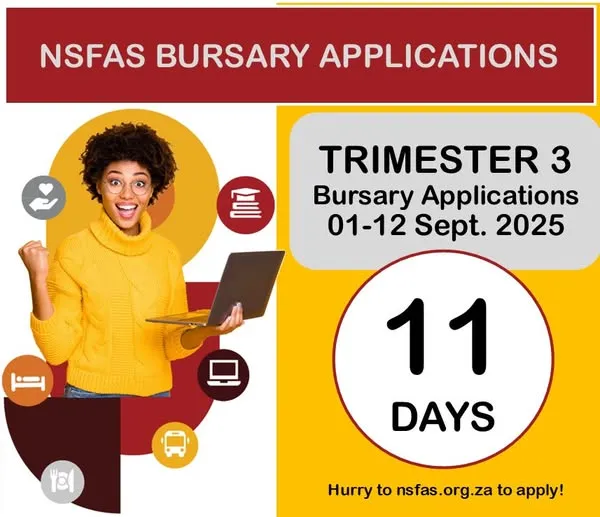
NSFAS Bursary Applications – Trimester 3, 2025
The National Student Financial Aid Scheme (NSFAS) has officially opened bursary applications for Trimest…
Updates · 04 Sep 2025
NSFAS Bursary Applications – Trimester 3, 2025
The National Student Financial Aid Scheme (NSFAS) has officially opened bursary applications for Trimest…
 Updates · 25 Jul 2025
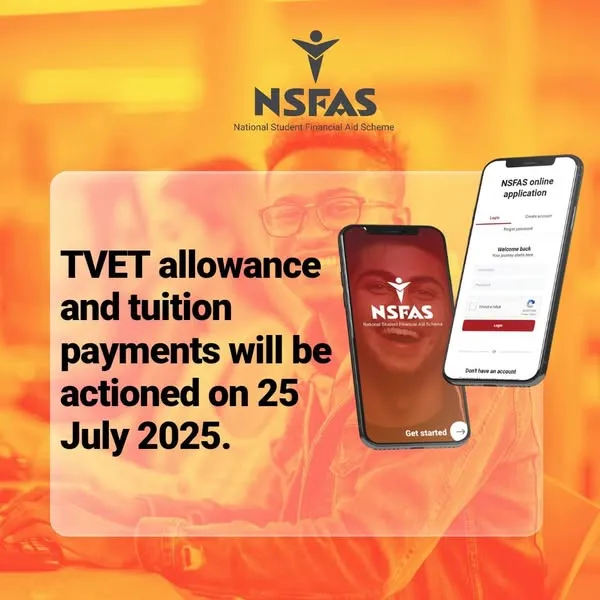
NSFAS Payment Schedule Update – July 2025
Students funded through NSFAS are advised of the following confirmed payment dates for tuition, accommod…
Updates · 25 Jul 2025
NSFAS Payment Schedule Update – July 2025
Students funded through NSFAS are advised of the following confirmed payment dates for tuition, accommod…
 Updates · 16 Jul 2025
NSFAS 2025 TVET Semester 2 Applications Now Open
NSFAS is pleased to announce that applications for TVET Semester 2 funding for 2025 are now officially o…
Updates · 16 Jul 2025
NSFAS 2025 TVET Semester 2 Applications Now Open
NSFAS is pleased to announce that applications for TVET Semester 2 funding for 2025 are now officially o…
 Updates · 14 Sep 2026
Viral Schoolgirl Video Sparks Outrage in South Africa — But What Actually Happened?
A viral South African video involving an older man and two schoolgirls has sparked accusations and debat…
Updates · 14 Sep 2026
Viral Schoolgirl Video Sparks Outrage in South Africa — But What Actually Happened?
A viral South African video involving an older man and two schoolgirls has sparked accusations and debat…
Musa Godfrey
Platform leadership at EduCoast
Founder of EduCoast, helping South African students find reliable study resources and educational opportunities.
musagodfrey@educoast.co.za- Posts published
- 294
- Publishing since
- Jun 2025